
Home · Retail POS · Billing
Retail POS · 01
Billing that keeps the queue moving.
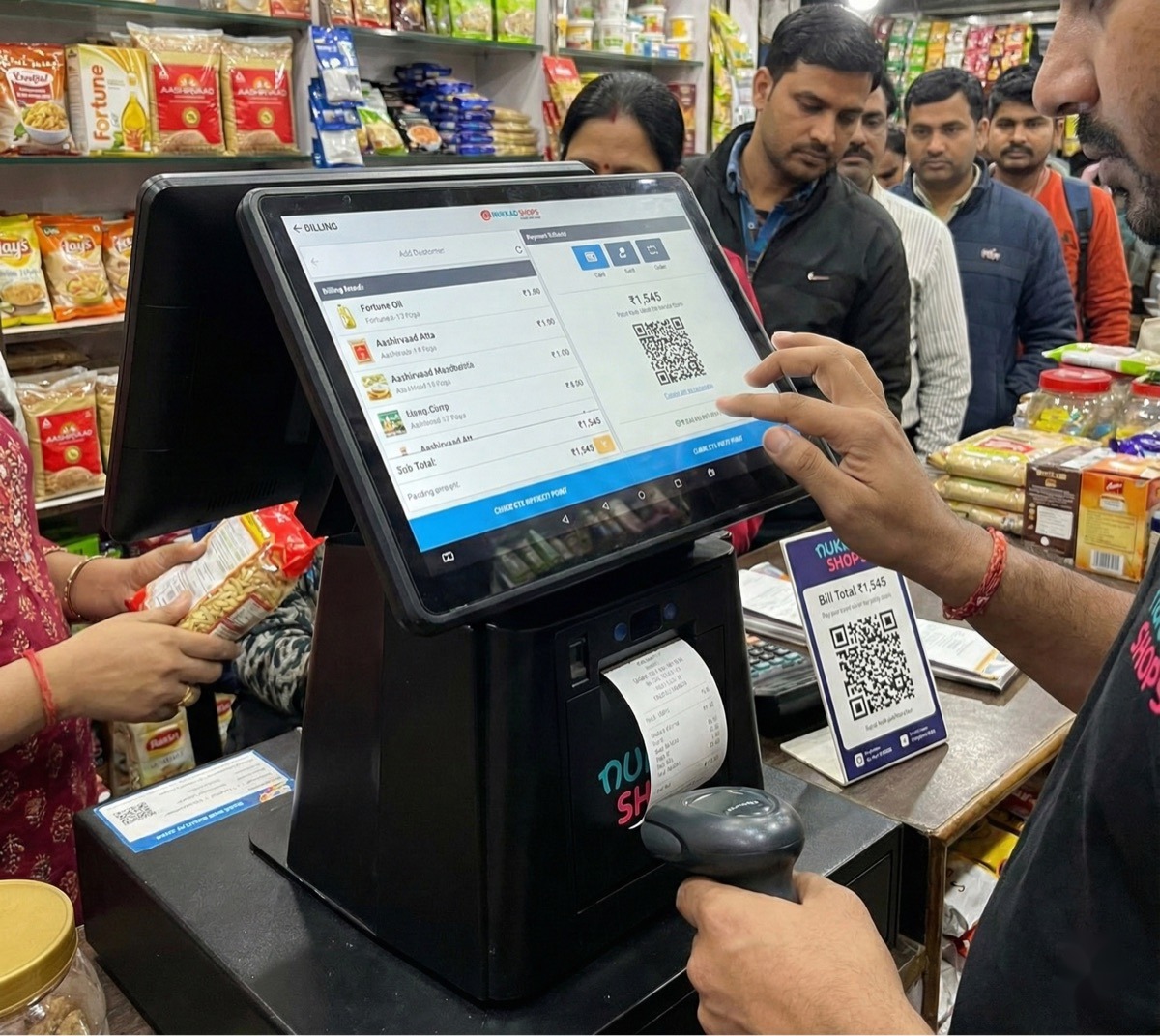
Scan, bill, take any payment and print - in seconds, online or offline. The same checkout that runs kirana counters, supermarket lanes and Airport duty-free stores.
Functionality
What the billing engine does
Scan-and-sell checkout
Barcode scanning, instant item search and shortcuts for loose items - billers clear a full basket in seconds, and multi-counter setups keep every lane in sync.
Upsell & cross-sell at checkout
The billing screen surfaces upsell and cross-sell recommendations as items are scanned - and stores can bill off a central master database, so the catalogue stays consistent across every outlet.
GST-compliant invoicing
GST is calculated automatically on every line with HSN codes, and each sale produces a GST-compliant invoice - printed or as an e-receipt. Filing-ready reports come built in.
Every payment mode, one receipt
UPI, cards, cash and wallets - accepted in any combination. Split a single bill across modes; the system reconciles the split and prints one itemised receipt.
Offline billing that never stops
Connectivity drops; billing doesn't. Bills queue locally on the device and sync automatically the moment the network returns.
KOT & table billing for F&B
Kitchen order tickets, table-wise billing and split bills for restaurants, cafés and food courts - on the same platform, no separate restaurant system.
Billing that leaves the counter
mPOS on handheld Android devices takes checkout to the aisle, the doorstep, a food truck or a delivery run - same catalogue, same reports.
Payments run on India’s leading rails




Outcomes
What changes at the counter
Queues get shorter
Scanning, totals and payment happen in one motion - baskets clear faster and rush hours stop costing you walkouts.
Speed customers notice.Tax errors disappear
GST is worked out line by line by the system, not by the biller - every invoice compliant, every time.
Compliance by default.Outages stop losing sales
Power through internet failures without a pause; everything reconciles when the network returns.
Billing never blinks.New staff bill on day one
The interface is simple enough that seasonal and rotating staff work confidently without long training cycles.
Minutes to productive."Billing speed doubled! Customers no longer wait in queue. Best investment for my shop."
Questions, answered.
Does billing work without internet?
Yes. The system works both online and offline - bills are saved locally on the device and sync automatically once the connection is restored. Your counter never stops.
Which payment modes are supported?
UPI, debit and credit cards, cash and wallets. Payments run through integrations with PhonePe, Razorpay, Payswiff and Pine Labs, and a single bill can be split across multiple modes.
Is the invoicing GST-compliant?
Yes. GST is calculated automatically with HSN codes on every line item, invoices are GST-compliant, and filing-ready GST reports are generated by the system.
Can one bill be split between UPI, card and cash?
Yes. Split-payment billing lets a customer pay one bill across multiple modes - the system calculates the split and prints a single itemised receipt showing each payment.
Does it handle restaurant billing - KOT and tables?
Yes. KOT management, table-wise billing and split bills are built in, so restaurants, cafés and food courts run on the same platform as retail counters.
How long does it take to train a new biller?
Minutes, not days. The billing screen is designed so new and rotating staff can bill confidently on their first shift.
More of the Retail POS