
Hardware · 9 Jul 2026 · 5 min read
Android POS vs Windows POS: which fits Indian retail?
The old counter was a Windows PC, a separate printer, a scanner and a tangle of cables. The new one is a single Android device. Here’s how to decide which world your store belongs in.
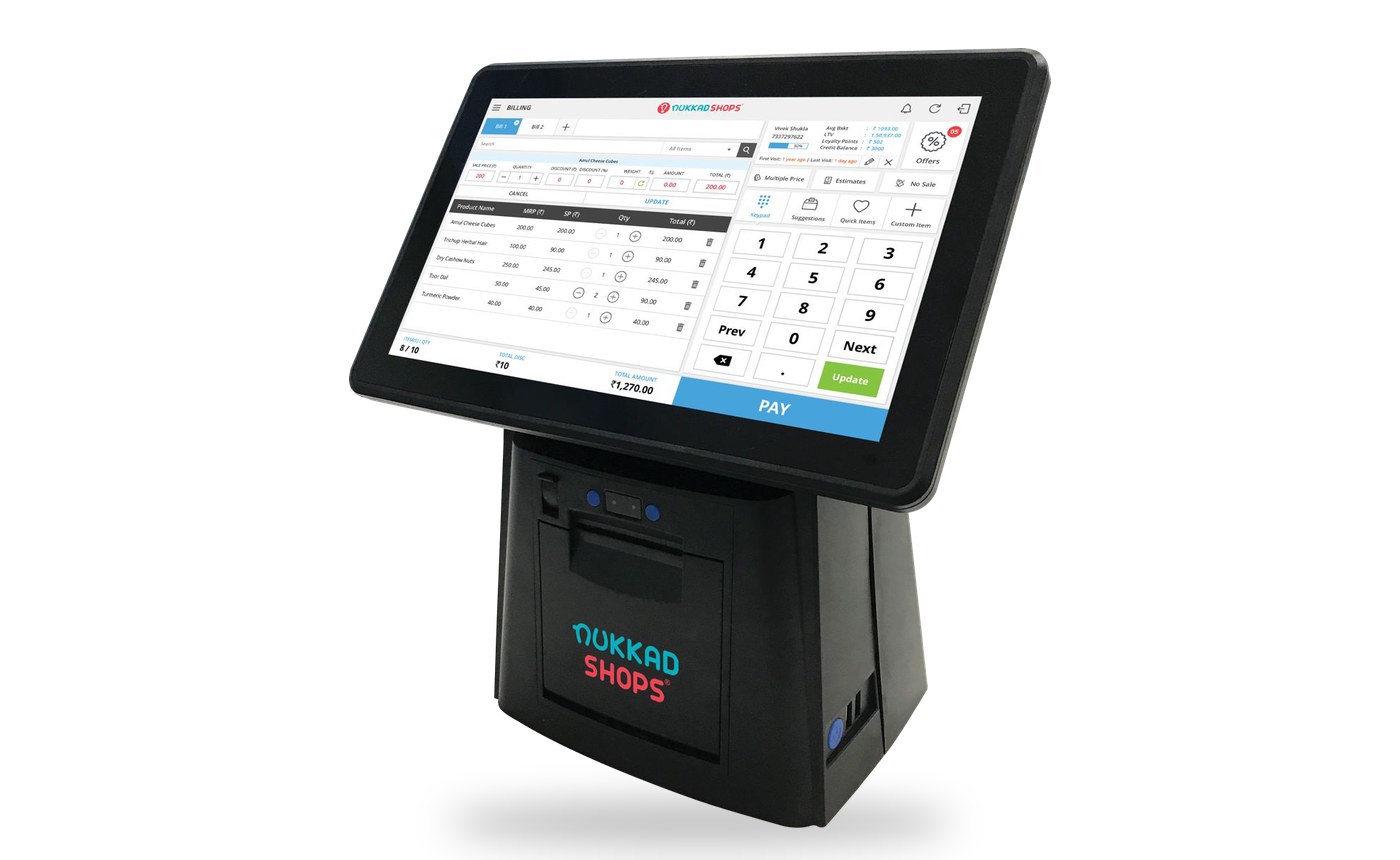
For two decades, "computerising the shop" meant a Windows PC at the counter with billing software installed on it. That default is gone. Most new Indian retail counters now run integrated Android devices - screen, printer and software in one machine. Here's the honest comparison.
Footprint and moving parts
A Windows setup is a PC, a monitor, a thermal printer, a scanner and a UPS - five things that can fail, five cables, and half the counter gone. An integrated Android device like the Aspire or Elite-A builds the touchscreen and printer into one unit; a handheld like the NS MPOS puts the whole counter in one hand. Fewer boxes means fewer failures and faster counters in the same floor space.
Training time
Retail staff churn. Every new hire already knows how to use an Android screen - the same swipe-and-tap they use on their own phone. Windows billing software tends to carry keyboard-era interfaces that take days to learn and invite errors under rush-hour pressure. On an Android POS, a new cashier is billing confidently the same day.
Offline behaviour
This is where buyers get burned. Cloud software on any platform must answer one question: what happens when the internet drops? NukkadShops' Android POS keeps billing offline and syncs automatically when the connection returns. Whatever you buy, make the vendor demonstrate an outage - don't take the brochure's word for it.
Put an Android POS next to your current setup and compare a real billing run - book a counter-side demo.
Cost of ownership
Think beyond the sticker. A PC-based counter carries an operating system to maintain, antivirus, a separate printer to service and a UPS to replace. An integrated Android device collapses most of that into one BIS-certified unit with the software updated centrally. Over a device's life, the smaller machine is usually the smaller bill - and it scales down gracefully: a new store can start on a smartphone and move to counter hardware when footfall justifies it.
When Windows still makes sense
Honesty cuts both ways. If your back office lives in a desktop ERP that your accountant drives daily, a Windows machine may still earn its place - in the back office. That's the pattern that works: keep the desktop for accounting if you need it, and let the counter run on hardware built for the counter. NukkadShops runs on Android at the front and connects to ERPs like SAP - or any ERP via API - behind it.
The verdict
For the counter itself - billing speed, training, uptime, footprint - the integrated Android device wins for almost every Indian retail format, from a kirana to a supermarket chain to an Airport duty-free floor. The 15,000+ counters running NukkadShops today are the field evidence. See the Retail POS and the device lineup, or book a demo below.